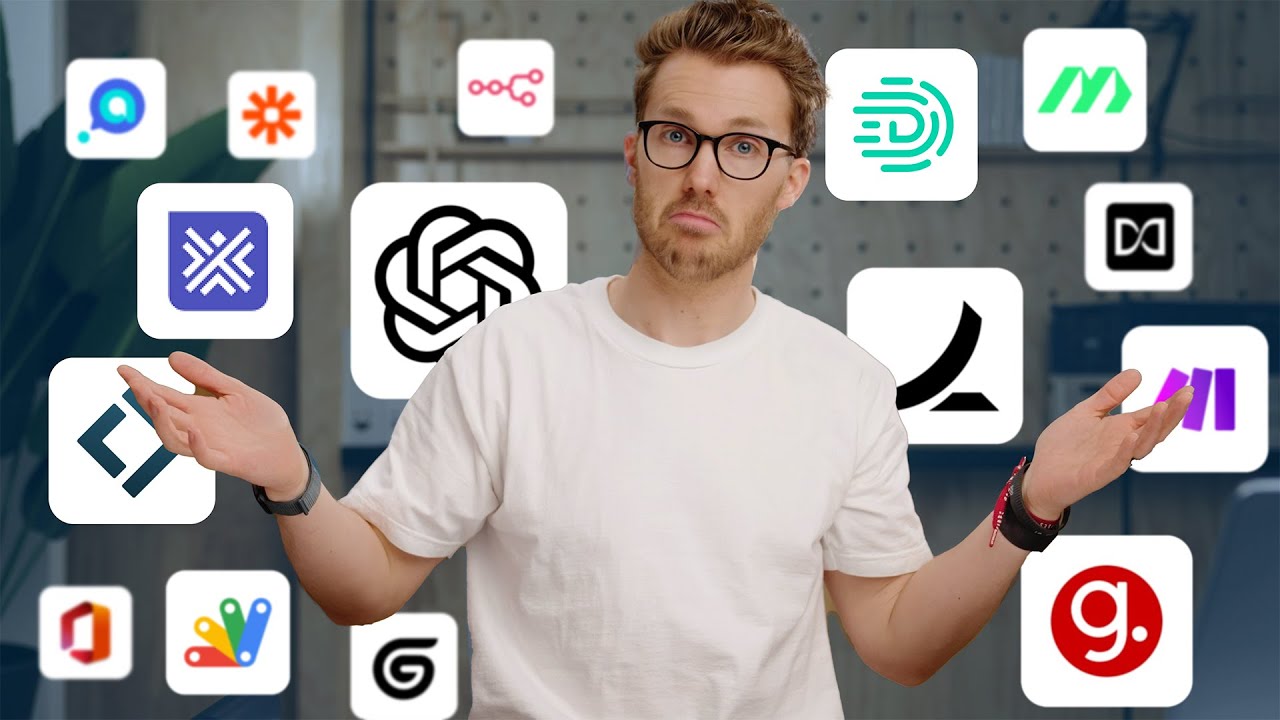
TL;DR: This article highlights 15 AI tools that accountants can use to streamline workflows, with a focus on automating deterministic tasks like Accounts Payable.
📋 Table of Contents
Jump to any section (9 sections available)
📹 Watch the Complete Video Tutorial
📺 Title: 15 AI Tools Smart Accountants Are Using Right Now
⏱️ Duration: 855
👤 Channel: Jason On Firms
🎯 Topic: Tools Smart Accountants
💡 This comprehensive article is based on the tutorial above. Watch the video for visual demonstrations and detailed explanations.
If you’re an accountant and feel like AI hasn’t changed your daily workflow yet—you’re not alone. But according to Jason, former managing partner of a 40-person accounting firm and current AI productivity coach for accountants worldwide, that’s about to change—dramatically. In 2025, AI is no longer a distant trend; it’s a competitive necessity. As Jason warns: “If you are not doing the things we talk about in this video, the accountant across the hall—once they do—man, you’re going to be falling behind. And that’s not hyperbole.”
This comprehensive guide breaks down every AI tool, technique, and insight from Jason’s full transcript, organized into actionable categories. Whether you’re aiming to impress your boss, automate tedious tasks, or even launch your own accounting firm, these 15 AI-powered tools for smart accountants will future-proof your career.
Why AI Is Finally Disrupting Accounting (And Why It’s Happening Now)
Many assume all accounting work is rule-based and deterministic—but that’s a myth. In reality, much of accounting is subjective, which is why widespread AI disruption hasn’t hit yet. However, one area stands out as highly deterministic: Accounts Payable (AP).
Because AP involves clear inputs, outputs, and rules (e.g., matching invoices to purchase orders), it’s the most rapidly AI-disrupted segment of accounting today. This creates a perfect entry point for AI adoption—and a warning: if you’re not automating AP, you’re already behind.
Category 1: 5 AI Apps That Will Impress Your Boss
1. Ramp – AI-Enhanced Spend Management & Bill Pay
Ramp began as a corporate card and spend management platform, but its recent integration of AI-powered bill pay makes it a must-watch for accountants. While not purely an AI-native tool, Ramp exemplifies how existing apps are being supercharged with AI.
Key benefits for accountants:
- Automates chasing colleagues for missing receipt or invoice details
- Offers a free, robust bill pay implementation with smart matching and approval workflows
- Reduces manual data entry and reconciliation time
Jason notes: “Ramp’s bill pay is honestly really well done—and it’s free.”
2. MakersHub – AI for Complex, “Hairy” AP Workflows
For firms dealing with receiving, inventory management, multi-step approvals, or messy vendor data, MakersHub is purpose-built. From day one, it leveraged AI vision models and large language models (LLMs) to handle unstructured documents and complex logic.
Jason shares a striking insight: “Back when I ran my accounting firm, I had clients with full-time in-house accountants where MakersHub could have automated a good 80% of that work.”
This tool is ideal when your AP process involves more than simple invoice-to-payment flows.
3. ChatGPT (Team Plan) – Your AI Co-Pilot for Research, Analysis & Security
Yes, ChatGPT makes the list—but not in the way you might expect. Jason emphasizes its Deep Research and Data Analysis capabilities, especially when used securely via the ChatGPT Team Plan.
Why the Team Plan?
- Your prompts and data are never used to train OpenAI’s models
- Comes standard with SOC 2 Type 2 compliance—more secure than many accounting SaaS tools
- Enables enterprise-grade collaboration and data handling
Jason insists: “Not putting my company data in AI? Nope. There are completely secure ways to use ChatGPT.”
4. Guide – AI-Powered Process Documentation
Tired of maintaining outdated Word docs with janky screenshots? Guide automates SOP (Standard Operating Procedure) creation using AI.
How it works:
- Install the Chrome extension or desktop app
- Hit “record” while performing a task (e.g., reconciling a bank feed in QuickBooks)
- Guide automatically generates step-by-step documentation with annotated screenshots
Pricing:
- Free browser-only version available
- $35/month for business use: includes 5 user seats, cross-app support (desktop + browser), and enhanced security
This is a game-changer for training teams, onboarding clients, or scaling your firm.
5. ChatGPT Data Analysis – Turn Spreadsheets into Insights
Jason demonstrates a powerful use case: uploading a CSV of 1,000 transactions and asking ChatGPT to:
- Combine all transactions by date (summing amounts)
- Identify the company with the highest transaction amount per day and add it as a new field
- Sort results by total daily amount (descending)
Result? Perfectly formatted, insightful output—no manual formulas or pivot tables needed.
Even better: you can ask ChatGPT to “prove” its answer by showing intermediate steps or validating logic. This transforms accountants from data clerks into strategic analysts.
Category 2: 2 AI Apps That May Help You Become the Boss
6. Google Apps Script & Office Scripts – Automate Spreadsheets with AI-Generated Code
Jason calls this the “biggest change AI enables for most accountants”: unlocking spreadsheet coding skills you never knew you needed.
Both Google Sheets (Apps Script) and Microsoft Excel (Office Scripts) allow you to run custom code. Previously, this required programming knowledge—but now, ChatGPT can write flawless, ready-to-run scripts.
Examples of what you can automate:
- Reformat data with one click (like the March transactions example)
- Trigger scripts automatically when new rows are added
- Create custom functions (e.g., =TAXRATE(A2))
- Build custom menus or sidebar panels inside your spreadsheet
Jason’s advice: “Don’t try to invent use cases yourself. Instead, explain your workflow to ChatGPT and ask: ‘How could I improve this with Google Apps Script or Office Scripts?’”
This skill often becomes a “gateway drug” to full workflow automation—and higher productivity that sets you apart.
7. Lindy & Gum Loop – AI-Powered Workflow Automation Platforms
If you’ve used Zapier or Make, think of Lindy and Gum Loop as their AI-enhanced successors. These tools connect apps and add AI-driven decision-making to your automations.
Example workflow:
- A new invoice arrives in your AP system
- Lindy checks the amount
- If >$1,000 → route to manager for approval
- If <$1,000 → auto-approve and schedule payment
- If vendor is new → trigger KYC verification
Jason notes: “CFOs are having their biggest wins today by using AI to write code that automates what they once did manually. These are not programmers—they’re regular finance nerds like us.”
With these tools, you can build self-running accounting operations—freeing you to focus on advisory work or even launch your own firm.
Category 3: 8 AI Tools to Launch & Scale Your Own Accounting Firm
8. Canopy – All-in-One Practice Management System
The foundation of any modern accounting firm is a practice management system. Canopy (the video’s sponsor) serves as your “firm-wide operating system,” handling:
- Project tracking
- Client portals (with mobile app)
- e-Signatures
- Online payments
- Task management
- Built-in AI features for workflow optimization
Jason stresses: “It’s the most important software purchase your firm will make.” Without it, you’ll drown in email chaos and spreadsheet trackers.
9. Digits – The First AI-Native General Ledger
While most firms still use QuickBooks Online or Xero, Digits represents the future: an autonomous bookkeeping platform built from the ground up with AI.
Though still early, Digits offers:
- Real-time anomaly detection
- AI-powered reconciliation
- Natural language querying of financial data
Even if you don’t switch yet, its existence pushes legacy platforms to innovate—benefiting all accountants.
10. Campfire & Puzzle – Emerging AI Accounting Ledgers
Two more AI-first general ledger platforms gaining traction:
| Tool | Key AI Features |
|---|---|
| Campfire | Automated categorization, cash flow forecasting, client collaboration tools |
| Puzzle | AI-driven bookkeeping, real-time reporting, embedded advisory prompts |
Jason’s take: “Whether they unseat QuickBooks or Xero, all this competition is great for us—the people running firms.”
11. Expert – AI Alerts & Workflow Management for Firms
Expert (launched in the U.S. in 2024) helps firms manage client work with AI-powered oversight:
- Automated file reviews to ensure data completeness
- AI-driven alert system: create custom flags using natural language prompts (e.g., “Alert me if a client’s expenses spike 50% month-over-month”)
- Workflow management to track deadlines and deliverables
This reduces manual oversight while increasing quality control.
12. Ader – AI-Powered Advisory Opportunity Finder
Ader connects to all your clients’ accounting files and does something brilliant: it automatically flags advisory opportunities in a unified dashboard.
How it works:
- Ader scans client data across platforms
- Identifies trends, risks, or optimization chances (e.g., high cash reserves, unusual expense patterns)
- Presents them as actionable insights
- You contact the client, “discover” the insight, and charge for advisory services
Jason jokes: “Hell of a grift.” But it’s a legitimate way to scale value-added services.
Ader also supports open-ended prompting—like “ChatGPT for your client’s books”—enabling deeper analysis.
13. Soraban & Stanford Tax – AI Client Intake for Tax Prep
U.S. tax preparation software is notoriously outdated—but the tools around tax prep are improving fast.
For client intake:
- Soraban and Stanford Tax analyze prior-year returns
- Auto-generate a checklist of required documents for the current year
- Automatically follow up with clients until all items are submitted
This eliminates hours of manual chasing—letting you focus on actual tax strategy.
14. Tax GPT & Blue J – AI Tax Research Platforms
For complex tax questions, these AI-first research tools combine LLMs with authoritative tax literature:
| Tool | Key Strength |
|---|---|
| Tax GPT | Conversational interface trained on IRS code, court cases, and rulings |
| Blue J | Predictive outcomes based on legal precedent; used by Big 4 firms |
These reduce research time from hours to minutes—with higher accuracy.
15. Laurel – AI Time Tracking for Accountants
Let’s be honest: accountants are terrible at time tracking. Laurel fixes that with AI:
- Automatically logs time based on app usage and calendar events
- Prompts you to categorize ambiguous blocks (“Was this client A or B?”)
- Integrates with billing and project management tools
Accurate time tracking = better pricing, profitability analysis, and capacity planning—critical for firm owners.
The Central Role of ChatGPT in Modern Accounting
Despite the explosion of niche AI tools, Jason asserts: “The app still at the center of it all is ChatGPT.” But 95% of accountants aren’t using it effectively.
To maximize ChatGPT:
- Use the Team Plan for security and collaboration
- Leverage Data Analysis for spreadsheet transformation
- Use Deep Research for market or industry analysis
- Ask it to write Google Apps Script or Office Scripts for automation
- Treat it as an infinite-patience tutor for learning new skills
Why Now Is the Time to Act (Especially for Aspiring Firm Owners)
Jason’s core message: AI isn’t just about efficiency—it’s about creating leverage. Once you automate manual tasks, your productivity skyrockets. And what do you do when you’re “off the charts productive”?
His answer: “Go be an accountant for a bunch of businesses. Roll your own wee little accounting firm.”
With the 8 firm-building tools listed above—plus AI automation—you can launch a stupidly profitable micro-firm with minimal overhead. The barrier to entry has never been lower.
Action Plan: How to Get Started Today
Step 2: Use it to analyze one of your spreadsheets—ask for “novel insights”
Step 3: Record a simple process in Guide (free Chrome extension)
Step 4: Ask ChatGPT: “How could I automate [your repetitive task] using Google Apps Script?”
Step 5: Explore one firm-building tool (e.g., Canopy, Ader, or Expert)
Final Takeaway: The Future Belongs to AI-Fluent Accountants
The accounting profession is at an inflection point. AI won’t replace accountants—but accountants who use AI will replace those who don’t. As Jason puts it: “The future of accounting isn’t classifying transactions or chasing documents. It’s leveraging AI to deliver strategic value.”
By mastering these 15 tools, you won’t just keep up—you’ll lead. And if you’re ready to go further, Jason recommends watching his deep-dive on “the most important ChatGPT features for accountants.”
Start today. Your future self—and your future clients—will thank you.