
📋 Table of Contents
Jump to any section (18 sections available)
📹 Watch the Complete Video Tutorial
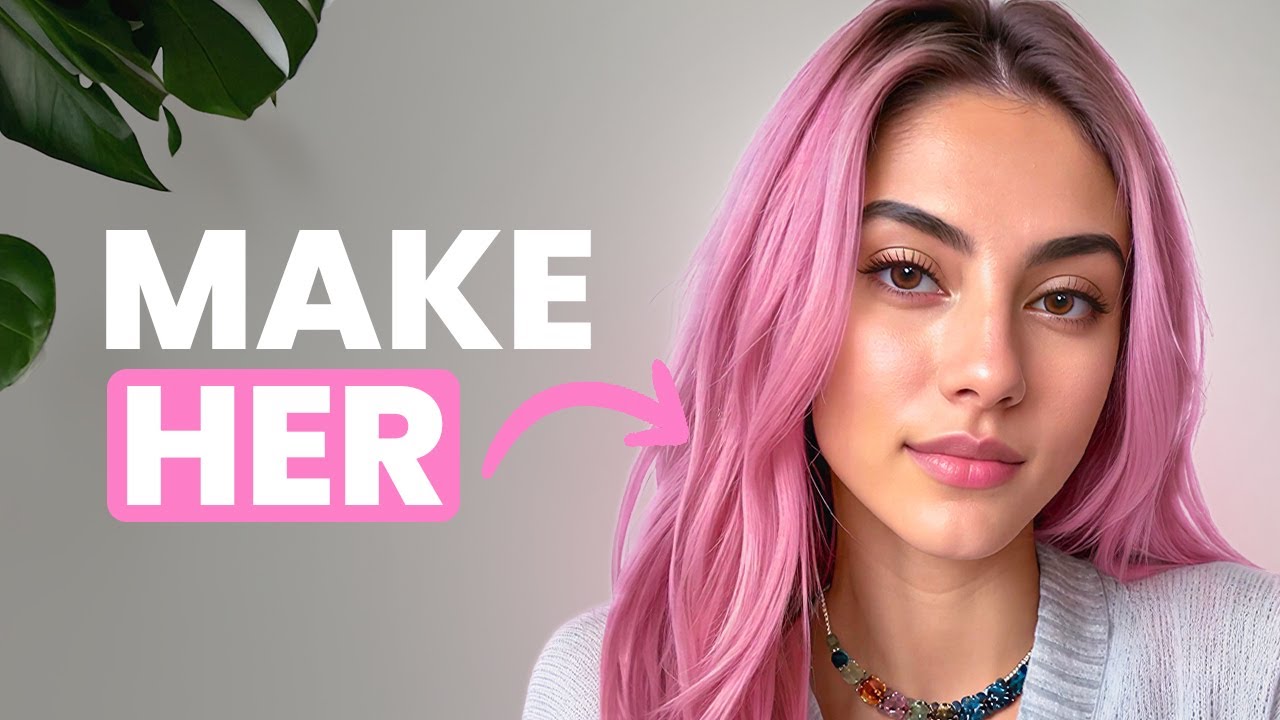
📺 Title: How to Make Animated AI Influencers (Step by Step)
⏱️ Duration: 557
👤 Channel: Isa does AI
🎯 Topic: Make Animated Influencers
💡 This comprehensive article is based on the tutorial above. Watch the video for visual demonstrations and detailed explanations.
In today’s digital content landscape, animated AI influencers are generating serious income—some creators earn tens of thousands of dollars per month. But here’s the catch: most attempts fail. Why? Because if your AI character doesn’t look and feel real, audiences won’t connect, and engagement collapses.
After months of testing, one proven method has emerged for building AI influencers that are not only photorealistic but also visually consistent across hundreds of posts and videos. This comprehensive guide walks you through every step—from initial character creation to animated, cinematic short-form content—using a single, powerful tool: Open Art.
By the end of this article, you’ll know exactly how to make animated influencers that look like real people, maintain identity across diverse scenes, and are ready for platforms like Instagram, TikTok, and beyond—all without juggling multiple apps or subscriptions.
Why Most AI Influencers Fail (And How to Avoid It)
The primary reason AI influencer projects flop is inconsistency. When a character’s face subtly changes between posts—different eye shape, skin tone, or hairstyle—followers notice. The result? Loss of trust, lower engagement, and failed monetization.
To succeed, your AI influencer must behave like a real human: same face, recognizable style, and coherent personality—across photos, carousels, Reels, and Stories. This requires a strategic workflow that locks in visual identity from day one.
Why Open Art Is the Best Tool for Making Animated Influencers
Most creators waste time switching between image generators, video animators, upscalers, and character builders. Open Art solves this by integrating everything into one platform:
- Image generation
- Character creation and management
- Image-to-video animation
- Upscaling and refinement
This eliminates compatibility issues, reduces costs (no multiple subscriptions), and streamlines your entire content pipeline. For creators serious about scaling, Open Art is the most efficient solution currently available.
Step 1: Generate a High-Quality Base Image
Your AI influencer starts with a single, photorealistic image. This becomes the “DNA” of your character. Here’s how to create it correctly in Open Art:
Select the Right AI Model
Use the Juggernaut XL model. It produces professional-grade, influencer-style photos with realistic skin texture, sharp details, and cinematic lighting—ideal for social media aesthetics.
Write a Precise, Studio-Optimized Prompt
Your prompt must include key details while ensuring background neutrality. Example:
“A beautiful blonde girl, natural makeup, casual modern outfit, soft daylight photography, influencer style, aesthetic, full body shot, sharp details, realistic skin structure, cinematic lighting, white background, studio.”
Critical tip: Always specify a white or wide studio background. This prevents the AI from locking background elements into your character’s identity, which ruins consistency later.
Generate and Select the Best Image
Generate multiple images (increase the batch count) and choose the one with the most natural expression, best lighting, and clearest facial features. This will be your anchor image.
Step 2: Create Multiple Angles for Character Consistency
A single front-facing image isn’t enough. To train the AI and ensure stability across poses, you need multiple angles of the same character.
Switch to the Nano Banana Model
After generating your base image, switch your model to Nano Banana. This model excels at generating variations based on reference images.
Use Omni Reference for Pose Variations
In the Omni Reference field, select your base image from your history. Then, write directional prompts such as:
- “A shot of the same woman turning slightly to the right”
- “A shot of the same woman turning slightly to the left”
- “A shot of her turned around slightly from the back”
Generate 3–4 of these. These multi-angle references dramatically improve character consistency when building your AI persona.
Step 3: Build a Persistent Character in Open Art
Now it’s time to convert your images into a reusable, consistent character.
Use the “Start with 4+ Images” Option
Navigate to the Character section in Open Art and select “Start with 4+ images.” Uploading multiple reference angles (from Step 2) yields the highest fidelity and stability.
Name Your Influencer
Give your character a name—e.g., “Ila”. This isn’t just for branding; it helps you organize and recall your character in future sessions.
Upload and Generate
Upload your base image plus the 3–4 angle variations. Click “Create.” Once processing finishes, your character appears in your library.
Step 4: Generate Consistent Lifestyle Images
With your character locked in, you can now place her in any scene while preserving identity.
Write Action-Oriented, Environment-Focused Prompts
Since the character is predefined, your prompt should focus only on setting, pose, and mood. Example:
“Ila is sitting at a cozy modern coffee table holding a coffee cup with latte art. Warm natural daylight, candid influencer style photo, soft background.”
Notice: no description of hair, face, or outfit—those are handled by the character profile.
Adjust Key Settings for Optimal Results
Open Art provides three critical settings for character-based generation:
| Setting | Recommended Value | Purpose |
|---|---|---|
| Prompt Adherence | 5 (medium) | Controls how strictly the AI follows your prompt. Too high = rigid; too low = inconsistent. |
| Clothing Consistency Toggle | Off (deselected) | Allows outfit changes per scene—essential for lifestyle content (e.g., gym vs. café). |
| Character Weight | 0.8 or higher | Determines how strongly the AI preserves facial identity. 0.8 is the “sweet spot.” |
Generate and Curate
Generate multiple images per scene to choose the best expression and composition. These will serve as starting frames for animation.
Step 5: Animate Your AI Influencer with Image-to-Video
Static images are just the beginning. To go viral, you need smooth, realistic motion.
Select the Right Video Model
In Open Art’s Video section, choose Google V3. According to the transcript, it’s “the most realistic one by far” for human motion and subtle expressions.
Choose a High-Quality Starting Frame
Pick your best lifestyle image from Step 4 (e.g., Ila with coffee). This becomes the base for animation.
Write a Detailed Motion Prompt
Your video prompt should describe movement, timing, and environmental dynamics. Example:
“Using the reference image, animate her lifting the coffee cup slowly, taking a small sip, then looking out the window with a soft smile. Steam rises from the cup. Light reflections shift on the window and people blur by in the background to add life.”
This level of detail ensures natural, cinematic motion—not robotic or disjointed animation.
Optimize Video Settings
- Audio: Keep it ON for added immersion (subtle ambient sound enhances realism).
- Resolution: Set to the highest available.
- Video Mode: Use “Normal” for best quality (not “Fast” or “Experimental”).
Advanced Technique: Changing Environments and Outfits
Your AI influencer should adapt to different contexts—gym, travel, holidays—while keeping her core identity intact.
Example: Gym Workout Scene
Image Prompt:
“Ila on a treadmill at a gym, sporty leggings, and a crop top outfit holding a water bottle, bright fitness studio lighting, influencer workout snapshot.”
Video Prompt:
“A fit young woman jogs lightly on a treadmill. She carries a pink water bottle in one hand, which shakes slightly as she runs. Her face remains clear, realistic, and consistently detailed with natural expressions and smooth motion. Her loose blonde hair bounces naturally with her movement, and she occasionally brushes it back with her free hand. The treadmill belt moves steadily beneath her feet, while other gymgoers are blurred in the background, emphasizing her focus and energy.”
Result: A believable, on-brand fitness Reel that maintains facial consistency.
Seasonal & Thematic Content: Halloween Example
Themed content boosts engagement. Here’s how to execute it without breaking character consistency.
Image Generation
Prompt:
“Ila in a playful Halloween costume as a witch standing outside at night with glowing pumpkins, cinematic lighting, festive influencer portrait.”
Generate multiple options and select the one where the costume feels natural—not forced or AI-generated.
Animation Prompt
“Animate her adjusting her witch hat, then waving at the camera while candle light from the pumpkins flickers and soft mist drifts naturally in the background, creating a cinematic Halloween atmosphere.”
The result? A seasonal video that’s festive yet unmistakably your influencer—same face, same smile, same identity.
Monetization & Growth Opportunities
Once your animated AI influencer is live, the opportunities multiply:
- Social Growth: Post short-form videos on Instagram Reels, TikTok, and YouTube Shorts.
- Brand Deals: Partner with lifestyle, fashion, or wellness brands for sponsored content.
- Content Series: Build a personality—e.g., “Ila’s Morning Routine” or “Workout Wednesdays.”
- Digital Products: Sell presets, prompts, or even AI influencer templates.
Because your content is consistent and scalable, you can produce dozens of posts per week without hiring models, photographers, or editors.
Why This Workflow Beats Multi-Tool Approaches
Traditional methods require:
- MidJourney or DALL·E for images
- Pika or Runway for video
- Topaz or ESRGAN for upscaling
- Manual prompt engineering for consistency
This leads to:
- Inconsistent character identity
- High subscription costs
- Time wasted on file transfers and format issues
Open Art eliminates all of this. Everything happens in one place, with built-in character memory and seamless image-to-video conversion.
Troubleshooting Common Issues
Problem: Face Changes Between Images
Solution: Ensure you used 4+ reference angles and set character weight to ≥0.8. Avoid describing facial features in new prompts.
Problem: Outfit Doesn’t Match Scene
Solution: Keep the “Clothing Consistency” toggle OFF when you want outfit changes. Describe the new clothing in the prompt.
Problem: Video Motion Looks Robotic
Solution: Use Google V3 model, write detailed motion prompts (include micro-movements like hair bounce, hand gestures), and avoid overly complex actions.
Best Practices for Long-Term Consistency
- Always generate new images using your character profile—not from scratch.
- Save your best prompts and settings for reuse.
- Stick to one primary AI model for image generation (Juggernaut XL) to maintain style.
- Review character outputs weekly to catch drift early.
Realistic Expectations: What’s Possible Today
Current AI video tech (as of this transcript) excels at:
- Subtle, natural movements (sipping, smiling, light gestures)
- Static or blurred backgrounds
- Close-to-mid range shots (full-body or upper body)
Limitations include:
- Complex full-body motion (e.g., dancing, jumping)
- High-detail hand/finger articulation
- Long-duration videos (>8 seconds)
Focus on short, high-impact clips that highlight realism over complexity.
Getting Started: Your Action Plan
- Sign up for Open Art (use the creator’s referral link if available).
- Generate a base image using Juggernaut XL + studio background prompt.
- Create 3–4 angle variations using Nano Banana + Omni Reference.
- Build your character with “4+ images” in the Character section.
- Generate 3 lifestyle scenes (café, gym, seasonal).
- Animate each using Google V3 and detailed motion prompts.
- Post your first Reel or TikTok within 48 hours.
Final Thoughts: The Future of AI Influencers Is Now
Creating an animated AI influencer is no longer science fiction—it’s a repeatable, profitable system accessible to anyone with the right workflow. The key isn’t fancy tech; it’s consistency, realism, and strategic content design.
By following this guide, you bypass the trial-and-error that sinks most creators. You’ll build a character that feels human, moves naturally, and scales effortlessly across platforms.
Resources & Tools Mentioned
| Tool | Purpose | Why It’s Used |
|---|---|---|
| Open Art | All-in-one AI content studio | Generates images, builds characters, animates videos, and upscales—all in one place. |
| Juggernaut XL | Base image generation | Produces photorealistic, professional-quality influencer portraits. |
| Nano Banana | Angle variation generation | Creates consistent multi-angle references using Omni Reference. |
| Google V3 | Image-to-video animation | Delivers the most realistic human motion currently available. |
Now you have everything you need to make animated influencers that captivate, convert, and cash in. The only step left? Hit create.






