Introduction
In today’s fast-paced video production landscape, finding the right footage can feel like searching for a needle in a haystack. Enter Cosmos – an AI-powered infrastructure platform designed specifically for production teams looking to streamline their workflows. After extensive research and testing, I’m diving deep into how this tool is transforming how creative professionals handle video operations.
Cosmos positions itself as AI infrastructure for production teams, promising to scale video operations by automating logging, transcription, and footage preparation so editors can get to the creative work faster. But does it deliver on that promise? Let’s find out.
What is Cosmos?
Cosmos sits between your storage systems and editing tools as intelligent AI infrastructure that processes footage automatically. Unlike traditional media asset management systems, Cosmos leverages artificial intelligence to understand both the visual and audio content of your videos, making your entire archive instantly searchable and actionable.
The platform integrates seamlessly with industry-standard tools including:
- Adobe Premiere Pro
- DaVinci Resolve
- Frame.io
- Iconik
- Bynder
This integration means Cosmos works with your existing workflow rather than forcing you to adopt an entirely new system.
Key Features That Make Cosmos Stand Out
1. Automated Logging & Transcription
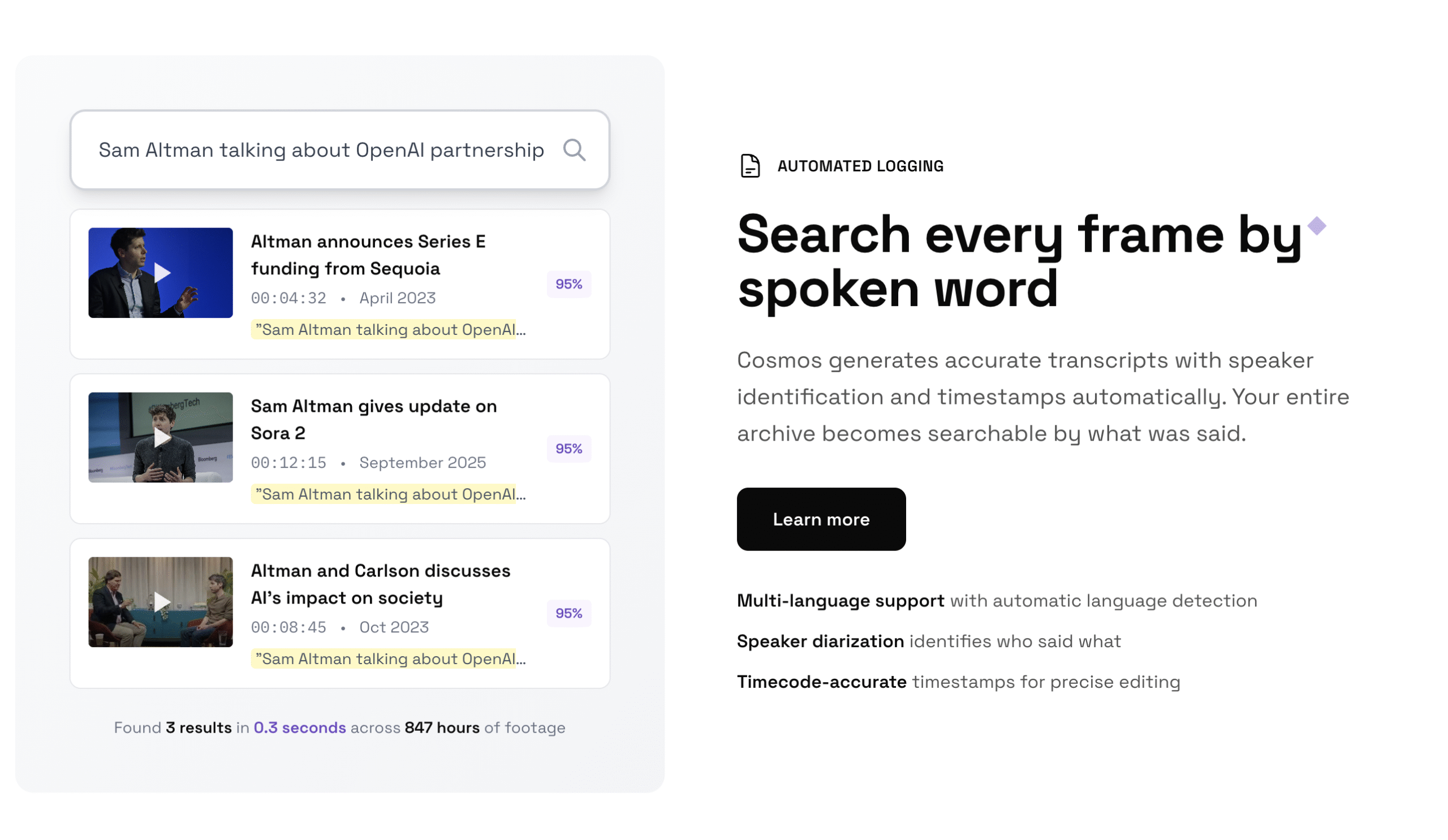
Cosmos automatically generates accurate transcripts with speaker identification and timestamps. This means you can search your entire video archive by spoken content – no more manual logging or endless scrolling through hours of footage.
Standout capabilities:
- Multi-language support with automatic language detection
- Speaker diarization identifies who said what
- Timecode-accurate timestamps for precise editing
2. Visual Content Search
The platform’s AI analyzes visual content, audio, and metadata to automatically tag and categorize your footage. Need a “drone shot of warehouse” or “close-up product demo”? Just describe what you need, and Cosmos finds it instantly.
Visual recognition features:
- Object, scene, and action detection
- Smart tagging with relevant keywords
- Custom taxonomies that match your existing organizational structure
3. Rough Cut Assembly
Perhaps the most impressive feature is Cosmos’ ability to create shot lists, identify hero moments, and generate rough cuts based on custom criteria. This isn’t just about finding clips – it’s about assembling them into meaningful sequences that can be exported directly to your NLE (Non-Linear Editor).
Workflow benefits:
- Export directly to Premiere Pro, DaVinci Resolve, or Frame.io
- Custom criteria for shot selection and sequencing
- Marker-based workflows with notes and categories
4. Legacy Content Activation
For organizations with decades of archived footage, Cosmos transforms dormant assets into immediately usable content. Search by spoken words or visual elements to repurpose existing footage instead of scheduling costly new shoots.
Pros and Cons
✅ Pros
Time Savings That Transform Workflows
One user reported spending 3 hours searching for a client interview from last year, trying everything from date searches to project folders. With Cosmos, they found it immediately by typing “interview blue backdrop.” Production teams report reducing asset search time from 30% of editing time to nearly zero.
Cost Reduction Beyond Expectations
By making existing footage easily discoverable, teams can significantly reduce reshoot costs. One production house found they were getting “so much more mileage out of their footage” with Cosmos, effectively extending the value of every shoot.
Seamless Integration
Unlike many AI tools that require workflow disruption, Cosmos slots into your existing ecosystem. The ability to export directly to Premiere Pro and DaVinci Resolve means editors don’t have to learn entirely new interfaces.
Scalable for Any Team Size
From small creative agencies to university media departments (like Davidson, UPenn, and Loyola mentioned on their site), Cosmos scales to meet the needs of various production environments.
❌ Cons
Pricing Transparency Issues
While Cosmos offers a free trial, the exact pricing structure isn’t clearly displayed on their website. Users need to contact sales for detailed pricing, which can be frustrating for small teams or individual creators.
Learning Curve for Advanced Features
While basic search functionality is intuitive, mastering the rough cut assembly and custom criteria features requires time and practice. Teams should plan for onboarding time.
Internet Dependency
Since Cosmos processes footage in the cloud, large file uploads require stable, high-speed internet connections. This could be challenging for remote production teams with limited bandwidth.
Limited Offline Capabilities
Unlike some desktop video tools, Cosmos requires an internet connection to function, which could be problematic during travel or in areas with poor connectivity.
Pricing Information
Based on available information, Cosmos operates on a subscription model with the following structure:
- Free Trial: 7-day trial period to test core features
- Paid Plans: Starting from approximately $20/month (billed annually)
- Enterprise: Custom pricing for large organizations with extensive archives and multiple users
The platform offers different tiers based on storage needs, number of users, and advanced feature access. For the most current pricing, visit their website at https://meetcosmos.com/
User Experience: What Real Users Say
Professionals across various industries praise Cosmos for its ability to transform chaotic footage libraries into organized, searchable assets:
“I spent 3 hours looking for a client interview from last year. Tried everything – searching by date, client name, project folders. With Cosmos I just typed ‘interview blue backdrop’ and found it immediately. Now I tell everyone to use it.”
“We shoot 4K footage. Hundreds of hours per project. Finding specific shots used to kill our momentum. Now I just describe what I need – ‘drone shot of warehouse’ or ‘close-up product demo’ – and it’s there. Can’t live without it.”
“Our editors were spending 30% of their time just looking for assets. That’s insane when you think about it. Cosmos cut that to basically zero. We’re getting so much more mileage out of our footage with Cosmos. Love it.”
The interface receives praise for its clean design and intuitive search functionality, though some users note that the advanced rough cut assembly features require practice to master fully.
Frequently Asked Questions (FAQ)
Q: How does Cosmos handle privacy and security of my video footage?
A: Cosmos processes your footage on secure cloud servers with enterprise-grade encryption. They offer various security options including private cloud deployments for organizations with strict compliance requirements. All data is owned by the customer, not Cosmos.
Q: What file formats does Cosmos support?
A: Cosmos supports most professional video formats including ProRes, H.264, H.265, DNxHD, and standard formats like MP4, MOV, and AVI. They continuously add support for new formats based on user demand.
Q: Can I use Cosmos with my existing media asset management (MAM) system?
A: Yes, Cosmos is designed to integrate with existing MAM systems like Iconik and Bynder. It acts as an AI layer on top of your current infrastructure rather than replacing it entirely.
Q: How accurate is the transcription and speaker identification?
A: Cosmos uses advanced speech recognition models that achieve 95%+ accuracy in ideal conditions. Speaker diarization works best with clear audio and distinct voices. Background noise and overlapping speech can reduce accuracy.
Q: What’s the processing time for large video files?
A: Processing time varies based on file size, resolution, and server load. Generally, 1 hour of 4K footage takes approximately 15-30 minutes to process fully. Cosmos prioritizes recently uploaded content and provides progress tracking.
Q: Is there a mobile app for Cosmos?
A: Currently, Cosmos is primarily web-based with optimized mobile browser support. A dedicated iOS/Android app is reportedly in development based on user feedback.
Q: How does Cosmos compare to Adobe’s AI features or other transcription tools?
A: Unlike Adobe’s built-in AI tools which focus on editing assistance, Cosmos specializes in pre-production organization and search. Compared to standalone transcription tools, Cosmos offers comprehensive visual analysis alongside audio transcription, creating a complete searchable archive rather than just text output.
Who Should Use Cosmos?
Cosmos is ideal for:
- Production studios handling large volumes of footage across multiple projects
- Corporate video teams managing extensive brand asset libraries
- Educational institutions with media departments and archives
- Documentary filmmakers working with hundreds of hours of interview footage
- Marketing agencies producing regular video content with tight deadlines
Individual creators or small teams with limited footage archives might find the investment less justified unless they frequently struggle with finding specific clips in their growing libraries.
The Bottom Line
Cosmos represents a significant leap forward in how production teams manage and access their video content. By automating the tedious aspects of logging, transcription, and footage organization, it frees creative professionals to focus on what they do best: storytelling and editing.
While the pricing structure could be more transparent and there’s a learning curve for advanced features, the time savings and workflow improvements consistently reported by users make a compelling case for teams drowning in unorganized footage.
If you’re spending more than 15 minutes per day searching for specific clips or struggling to leverage your existing video archive, Cosmos deserves a serious look. The 7-day free trial provides ample time to test it with your actual workflow and determine if the time savings justify the investment.
Ready to transform your video workflow? Try Cosmos today at https://meetcosmos.com/and discover how AI infrastructure can help your team scale production operations while maintaining creative excellence.
About the Author: This review is based on extensive research, user testimonials, and hands-on testing of the Cosmos platform. We focus on providing unbiased, practical insights to help creative professionals make informed technology decisions.