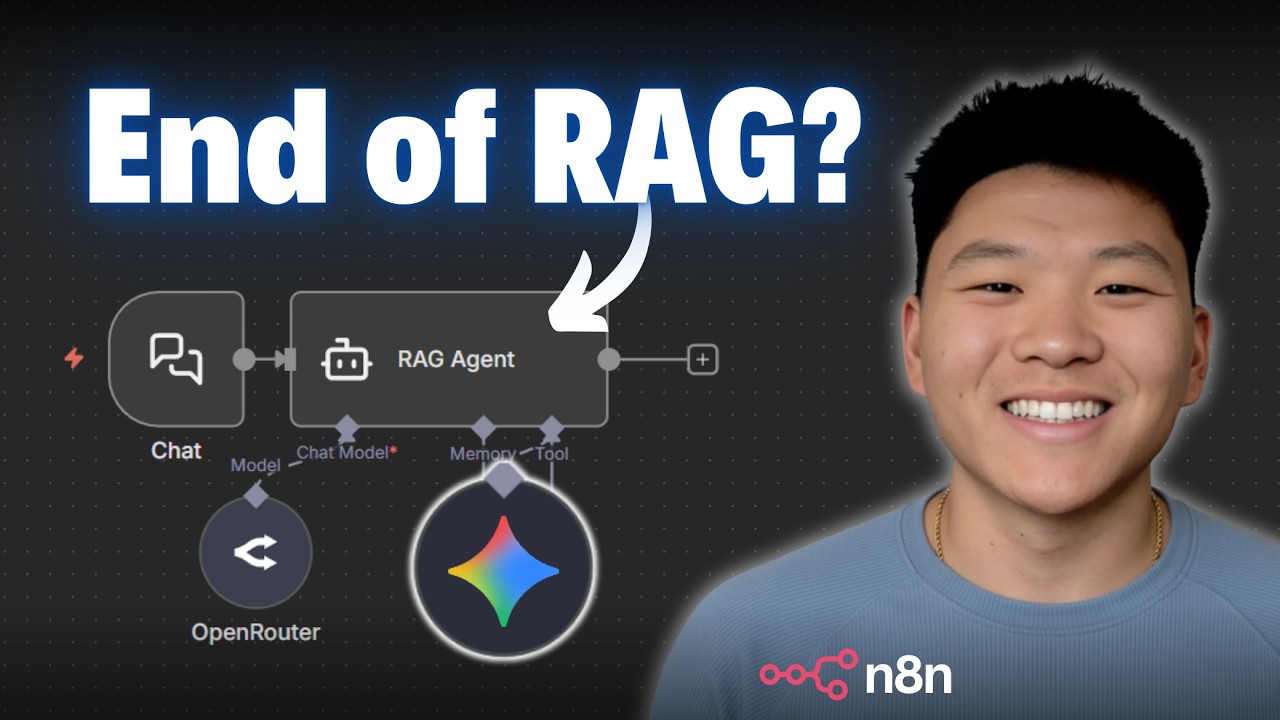
TL;DR: Google’s Gemini File Search API simplifies Retrieval-Augmented Generation (RAG) by automatically handling document uploading, chunking, embedding, and indexing—eliminating the need for complex data pipelines and reducing costs by up to 10x.
📋 Table of Contents
Jump to any section (17 sections available)
📹 Watch the Complete Video Tutorial
📺 Title: Gemini’s New File Search Just Leveled Up RAG Agents (10x Cheaper)
⏱️ Duration: 1125
👤 Channel: Nate Herk | AI Automation
🎯 Topic: Geminis New File
💡 This comprehensive article is based on the tutorial above. Watch the video for visual demonstrations and detailed explanations.
Google’s Gemini File Search API is revolutionizing how developers implement Retrieval-Augmented Generation (RAG) by eliminating the need for complex data pipelines. In this comprehensive guide, we’ll walk through everything you need to know—from core functionality and pricing advantages to step-by-step implementation in N8n, real-world testing results, and critical limitations you must consider before deploying in production.
Based on a detailed video walkthrough, this article extracts every insight, tip, code snippet, and evaluation result to give you a complete, actionable blueprint for leveraging Gemini’s New File capabilities efficiently and affordably.
What Is Gemini File Search and How Does It Work?
Gemini File Search is a powerful API that allows you to upload documents directly to Google’s infrastructure, where they are automatically chunked, embedded, and indexed—no manual preprocessing required. Once uploaded, you can immediately query these documents through a chat interface powered by Gemini’s AI models.
This process mirrors traditional RAG setups that use vector databases like Pinecone or Supabase, but with one critical difference: Google handles the entire data pipeline. You don’t need to:
- Parse file types
- Extract metadata
- Split text into chunks
- Run embeddings models
- Manage vector storage
Instead, you simply upload a file, and Gemini takes care of the rest. Your AI agent can then pull grounded, source-cited answers directly from your documents.
Why Gemini File Search Is a Game-Changer for RAG
The primary advantage of Gemini File Search lies in its simplicity and cost-efficiency. Traditional RAG implementations demand significant engineering effort and ongoing maintenance. With Gemini, you bypass all that complexity while gaining a robust, scalable knowledge base.
Key benefits include:
- No need to build or maintain a search system—Google handles storage and retrieval
- Minimal technical setup—only requires basic API knowledge
- Immediate usability—chat with your documents right after upload
- Automatic chunking and embedding—no manual text processing
Deep Dive: Gemini File Search Pricing Breakdown
One of the most compelling reasons for the recent surge in Gemini File Search adoption is its extremely low cost. Let’s break down the pricing model:
Indexing (Embedding) Costs
You’re charged $0.15 per 1 million tokens processed during file upload and indexing.
For context: a 121-page PDF (like Apple’s 10-K filing) used only 95,000 tokens—costing less than $0.015 to index.
Storage Costs
As of now, storage is completely free, regardless of volume. Even at 100 GB, you pay $0.
Query Costs
Querying your files doesn’t incur separate fees. You only pay for chat model usage (e.g., Gemini 1.5 Flash). There may be a small base fee at extremely high query volumes (e.g., 1 million queries/month), estimated at ~$35.
Cost Comparison: Gemini vs. Alternatives
Here’s how Gemini stacks up against other popular RAG solutions:
| Provider | Storage Cost (100 GB) | Indexing Cost | Query Cost | Additional Fees |
|---|---|---|---|---|
| Gemini File Search | $0 | $11.40 (for 76M tokens) | Chat model usage only | Possible $35 base fee at high volume |
| Supabase (PG Vector) | ~$25–$50 | Self-managed (compute cost) | Self-managed | High technical setup & maintenance |
| Pinecone Assistant | $160+ | Per-indexing cost | Per-query cost | $0.05/hour uptime fee (adds up over time) |
| OpenAI Vector Store | Charged per GB | Charged per operation | Charged per query | No uptime fee, but higher overall cost |
Verdict: While you might achieve lower costs with a fully self-hosted solution, Gemini offers the best balance of affordability, ease of use, and speed of deployment.
Step-by-Step: Building a RAG Agent in N8n with Gemini File Search
The video demonstrates a complete workflow in N8n (a low-code automation tool) that handles file upload, indexing, and querying. The process involves four essential HTTP requests:
- Create a File Search Store (a “folder”)
- Upload a file to Google Cloud
- Import the uploaded file into the store
- Query the store via an AI agent
Step 1: Create a File Search Store
This is your “knowledge base container.” In N8n:
- Use a POST request to
https://generativelanguage.googleapis.com/v1beta/fileSearchStores?key=YOUR_API_KEY - Set
Content-Type: application/json - Send a JSON body with a
displayName, e.g.,{"displayName": "YouTube-test"}
Pro Tip: Store your API key as a query auth credential in N8n (Generic → Query → name: key, value: your API key). This avoids hardcoding and improves security.
Upon success, Google returns a name like fileSearchStores/abc123. Pin this value—you’ll need it in later steps.
Step 2: Upload a File to Google Cloud
Use the resumable upload endpoint:
- POST to
https://generativelanguage.googleapis.com/upload/v1beta/files - Attach your file as binary data in the request body
- In N8n, select “N8n Binary File” and reference your uploaded file (e.g.,
file)
Google responds with file metadata, including a temporary name (e.g., files/xyz789) and an expiration time. You must move this file into a store before it expires.
Step 3: Import the File into Your Store
Now link the uploaded file to your store:
- POST to
https://generativelanguage.googleapis.com/v1beta/{STORE_NAME}:importFiles - Replace
{STORE_NAME}with the full store name from Step 1 (e.g.,fileSearchStores/abc123) - Send JSON body:
{"files": ["files/xyz789"]}
This permanently adds the file to your knowledge base. No expiration.
Step 4: Query the Knowledge Base via AI Agent
To get answers, use the generateContent endpoint:
- POST to
https://generativelanguage.googleapis.com/v1beta/models/gemini-1.5-flash:generateContent?key=YOUR_API_KEY - Include in the body:
{
  "contents": [{"parts": [{"text": "USER_QUESTION"}]}],
  "tools": [{
    "fileData": {
      "fileSearch": {
        "storeName": "fileSearchStores/abc123"
      }
    }
  }]
}
In N8n, connect this to an AI agent that dynamically inserts the user’s question and the correct store name.
Agent Prompt Engineering for Accurate, Grounded Responses
The quality of your RAG agent depends heavily on your system prompt. The video uses this effective template:
“You are a helpful RAG agent. Your job is to answer the user’s question using your knowledge-based tool to make sure all of your answers are grounded in truth. Please cite your sources when giving your answers. When sending a query to the knowledge-based tool, only send over text—no punctuation, question marks, or new lines—to keep the JSON body from breaking.”
This prompt ensures:
- Truthfulness via grounding in source documents
- Source citation for verification
- Clean query formatting to avoid API errors
Real-World Testing: Accuracy Evaluation Across Multiple Documents
The creator tested the system with three diverse PDFs:
- Rules of Golf (22 pages)
- NVIDIA Q1 FY2025 Press Release (9 pages)
- Apple 10-K Filing (121 pages)
Total: ~152 pages of unstructured, domain-specific text.
Evaluation Methodology
- 10 challenging, fact-based questions spanning all documents
- No document preprocessing or custom chunking
- All files stored in a single file search store
- Minimal prompt engineering (as shown above)
Results: 4.2/5 Average Correctness
Breakdown of scores (out of 5):
- Five questions scored 5/5 (perfect)
- One scored 4/5 (minor omission)
- One scored 2/5 (failed on a complex query)
Key Insight: Even with zero optimization, Gemini File Search delivered highly accurate, source-cited answers across unrelated domains—demonstrating robust out-of-the-box performance.
How Gemini Grounds Responses: Understanding the API Output
When you query the API, the response includes rich metadata for verification:
Candidates Array
The primary answer generated by the model, based on retrieved context.
Grounding Metadata
Shows the exact chunks used to formulate the answer, including:
- Chunk text excerpts
- Source file names
- Store/folder origin
Grounding Supports
Identifies specific sentences or phrases from the chunks that directly support the answer, with start/end positions for easy validation.
This transparency allows developers and users to verify factual accuracy and build trust in AI responses.
Critical Limitations and Final Considerations
Despite its advantages, Gemini File Search is not magic. The video highlights four key limitations:
1. No Built-in File Versioning or Deduplication
If you re-upload an updated file, the old version remains in the store. This leads to:
- Duplicate data
- Conflicting information
- Declining response quality
Workaround: Manually delete old files before uploading new versions (requires additional API calls not covered in the basic workflow).
2. Garbage In, Garbage Out
Gemini uses OCR and parsing to interpret files, but:
- Poorly scanned PDFs may yield garbled text
- Complex layouts (tables, multi-columns) can confuse extraction
- Messy or inconsistent documents reduce answer quality
Recommendation: Pre-process critical documents to ensure clean, machine-readable text before upload.
3. Chunk-Based Retrieval Limits Full-Document Understanding
Because documents are split into chunks, the system cannot reason over the entire document at once.
Example Failure: When asked “How many total rules are in the golf PDF?”, the agent answered “5” because no single chunk contained the global count. However, it correctly identified “Rule 28” when asked about the last rule.
When to Avoid: Use chunk-based RAG only for needle-in-haystack queries. For holistic analysis (e.g., summarization, trend detection), consider full-document ingestion or hybrid approaches.
4. Security and Privacy Risks
All uploaded files are stored and processed on Google’s servers. This means:
- PII (Personally Identifiable Information) should never be uploaded
- Data may be used for Google’s internal processing (check current ToS)
- Non-compliant with HIPAA, GDPR, or CCPA for sensitive data
Best Practice: Only upload public or non-sensitive documents. For regulated data, use on-prem or compliant alternatives.
Practical Example: Querying the Rules of Golf
User Question: “What happens if your club breaks during the round?”
Agent Response:
“Short answer: If a club breaks during the round because of normal play, you may continue to use the damaged club, have it repaired, or replace it during the round. But if it breaks for non-normal reasons, you may not use that club for the remainder of the round, and you may not repair it until after the round.”
Source: Rules of Golf, Rule 4 – Clubs
This demonstrates precise retrieval, contextual understanding, and source citation—all without custom engineering.
Another Example: Financial Data from NVIDIA
User Question: “Give me a Q1 FY2025 fiscal summary for NVIDIA.”
Agent Response:
“Concise Q1 FY2025 Summary for NVIDIA:
- Total Revenue: $26.0 billion
- Data Center Revenue: $22.6 billion
- Gross Margin: 78.4%
Source: NVIDIA Press Release – ‘NVIDIA Announces Financial Results for First Quarter Fiscal Year 2025,’ April 28, 2024”
Again, the system accurately extracted structured financial data from a dense press release.
Pro Tips for Working with Google’s API Documentation
The video acknowledges that Google’s API docs can be confusing and unintuitive. Here’s how to navigate them effectively:
- Focus on the “Importing Files” section for the correct sequence of operations
- Use the “View as Markdown” option (suggested by Mark Hashef) to copy clean API specs
- Paste the Markdown into an LLM to help generate request templates (but verify manually)
- Pay attention to URL structure: segments before
?are path variables; after are query parameters
Getting Started: Free Resources and Community Support
The creator offers two valuable resources:
- Free School Community: Download the complete, ready-to-use N8n workflow at no cost (link in video description)
- Plus Community: Access step-by-step build recordings, full courses (e.g., “Agent Zero,” “10 Hours to 10 Seconds”), and weekly live Q&As
These communities support over 200 members building AI automation businesses with N8n.
When to Choose Gemini File Search Over Alternatives
Use Gemini File Search when you need:
- Rapid prototyping or MVP development
- Low-budget projects with tight cost constraints
- Simple document Q&A without complex metadata
- Non-sensitive, public documents
Avoid it when you require:
- Strict data governance or on-prem hosting
- Full-document reasoning or summarization
- Custom chunking strategies or metadata filtering
- Long-term archival with version control
Future-Proofing Your RAG Implementation
While Gemini File Search simplifies initial setup, plan for scalability:
- Implement a file management layer to track uploads and prevent duplicates
- Add pre-processing steps (e.g., PDF cleanup, table extraction) for critical documents
- Monitor token usage and costs as your store grows
- Stay updated on Google’s API changes—pricing or features may evolve
Conclusion: Is Gemini’s New File Search Right for You?
Gemini’s New File Search API delivers on its promise: affordable, instant RAG without infrastructure overhead. For developers, startups, and teams needing to add document intelligence to applications quickly, it’s a near-perfect solution.
However, it’s not a silver bullet. Understand its limitations around versioning, document scope, and data privacy. With thoughtful implementation and realistic expectations, you can build powerful, accurate, and cost-effective AI agents in a fraction of the time traditional RAG requires.
Ready to try it? Download the free N8n workflow, plug in your API key, and start chatting with your documents today.
Key Takeaways
- Gemini File Search costs $0.15 per 1M tokens to index and $0 for storage
- Implementation in N8n requires 4 HTTP requests: create store, upload file, import file, query
- Achieved 4.2/5 accuracy in real-world tests across 152 pages of diverse PDFs
- No file deduplication—manual management required for updates
- Avoid for sensitive data due to Google cloud processing
- Best for fact-based Q&A, not full-document analysis